
Keeping overdue items on circulation records indefinitely can make it difficult to maintain accurate inventory, patron accounts, and collection reports. Surpass Cloud can automatically identify items that should be considered lost and update their status accordingly.
Items can be declared lost when they have been overdue for a specified number of days, when they are checked out to inactive patrons, or both. This process can be run manually whenever needed or scheduled to run automatically overnight.
When items are marked as lost, Surpass Cloud can optionally assess overdue fines, charge replacement costs to the patron, and even adjust replacement costs for inflation when using U.S. dollars. Automating this process helps keep circulation records current, reduces staff workload, and ensures lost materials are handled consistently across your library.
🏫 Requires Large Library, District, or Premier subscription.
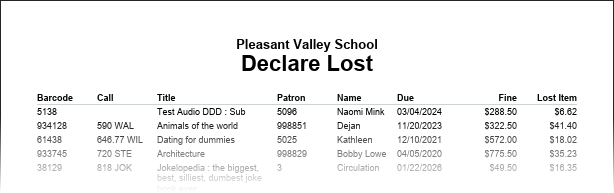
Sample Declared Lost Report
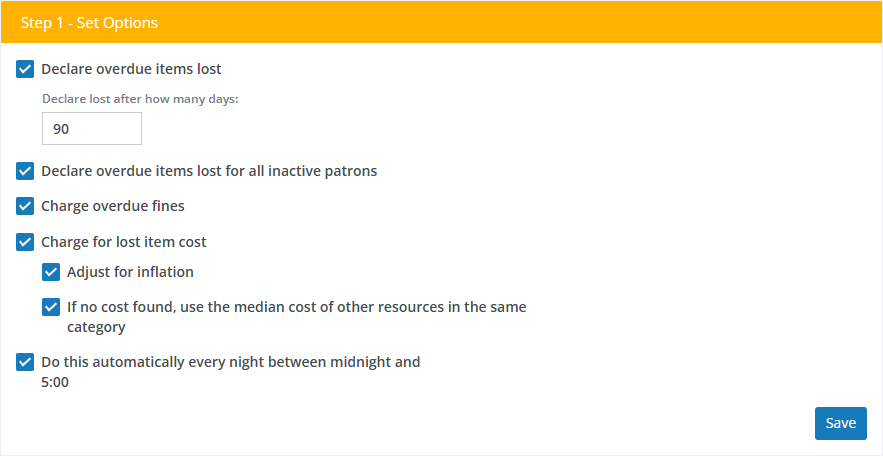
Options
-
Declare overdue items lost - Check this box to declare items lost after they have been overdue a specified number of days.
-
Declare overdue items lost for all inactive patrons - Check this box to declare overdue items checked out to patrons whose accounts have been marked as Inactive to be lost, regardless of the number of days past the due date.
-
Charge overdue fines - Check this box to charge the patrons daily overdue fines (if any) calculated from the due date to the date the item is being declared lost. Overdue fines are calculated according to Circulation Rules.
-
Charge for lost item cost - Check this box to charge the patron for the cost of the item as recorded on its holdings record. If there is no cost on the holdings record, Surpass will use the price found in the MARC record (if any).
-
Adjust for inflaction - If your library is using the
$option for currency in Regional Settings, costs are adjusted for inflation using the U.S. Federal Reserve Bank's Consumer Price Index for goods not including food and fuel. -
If no cost found, use the median cost of other resources in the same category - If no cost is found on the item's holdings or MARC record, Surpass will approximate the cost using the median cost of other items in the same Resource Category if this option is checked.
-
-
Do this automatically every night between midnight at 5:00 - Check this box to automate the process so that it runs automatically every night.
Save or Run Now
Depending on whether you selected the Do this automatically option, you'll see either a Save button or Run Now button at the bottom of the Options step.
Save

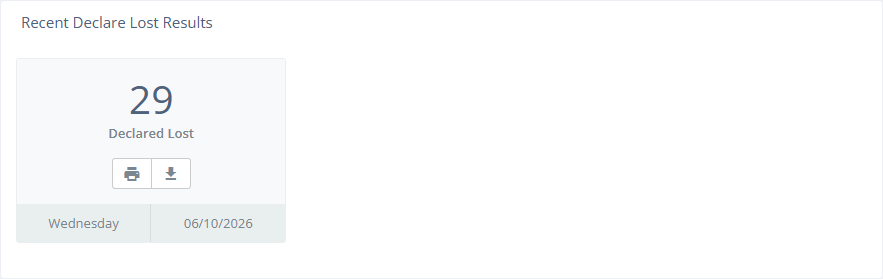
Saves the settings. At this point, there is nothing more for you to do. Overdue items will be declared lost according to your settings every night. Later, you'll find reports of cancelled holds listed under Recent Declared Lost Results. These reports will be available here for 7 days.
Run Now

If you want to declare overdue items lost now, un-check the Do this automatically box and click the Run Now button to run the process now get a report of the results.
Viewing, Printing, and Downloading
The report can be viewed on-screen, printed, or downloaded as a PDF. See Viewing and Printing Reports.
If your library is part of a system that has multiple locations or branches, overdue items will be declared lost for resources belonging to the selected location only, regardless of whether you have the All Locations option selected.

Next Steps
This process declares overdue items to be lost in the software and, optionally, charges patrons fines and/or lost item replacement costs. These charges will appear on patrons' Fines Notices, Delinquent Notices, and Fines Statements. If the lost resources are later found, you can declare them found in Circulation Transactions.